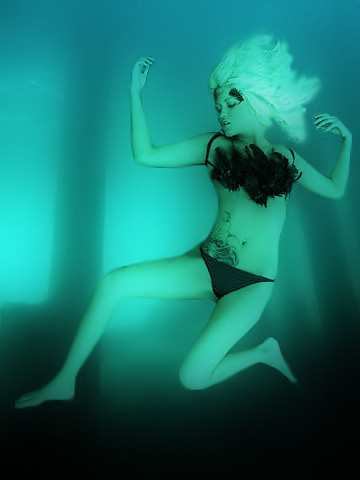
I love my Adobe CS3. Look at what I did. I created this out of three stock images from the internet. Then I deleted certain backgrounds. Then I added an underwater filter and walah a dead woman! I like how it came out. I am really getting into the whole photo editing thing;-)
Showing posts with label Filters. Show all posts
Thursday, January 24, 2008
Photoshop
Labels:
Adobe CS3,
Body,
Crime Scene,
Dead Woman,
Death,
Edited,
Effect,
Filters,
Photo Editing,
Photography,
Photoshop,
Processing,
Stock Images,
Underwater
Friday, December 28, 2007
Filters
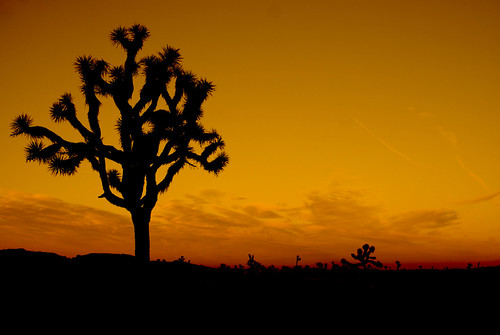
Filters are a wonderful tool! In this picture I used the offset in the exposure tool in image adjustmets! I did this till the land and tree were all black. Then In Image adjustments I went to photo filters and used a warm filter for this effect. This made this image look like a sunset with a SILOUETTE effect. I was pleased with this image. This picture was taken at Joshua Tree National Park.
Subscribe to:
Posts (Atom)