
Showing posts with label Photographer. Show all posts
Showing posts with label Photographer. Show all posts
Monday, April 28, 2008
Model Mayhem
I have created a new Model Mayhem account. It is a great place for photographers and models to connect. It is a wonderful way to work on your photographic skills. It costs nothing to sign up. However I suggest you bring someone with you when you are meeting people you really don't know so well. Its always smart to be safe. Email me for the link to my account. I also like to research different poses on the web to try out. Just a suggestion;-)


Tuesday, April 15, 2008
The MAGTFTC Rifle Range in Twentynine Palms, CA

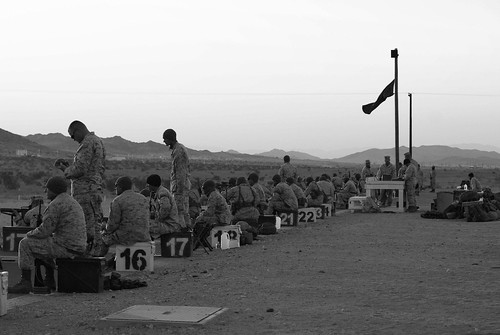
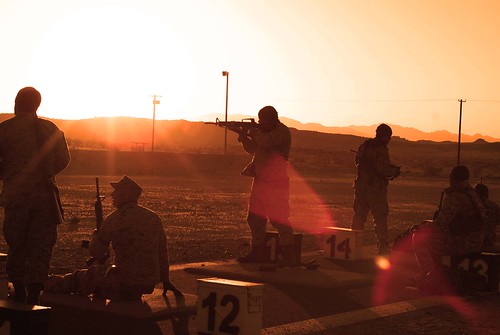
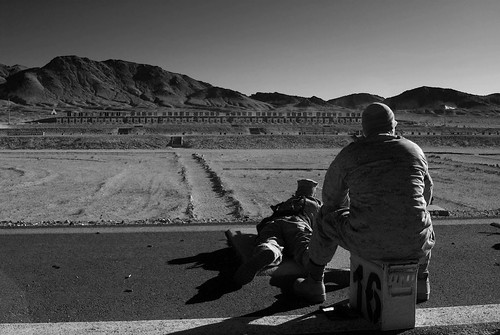

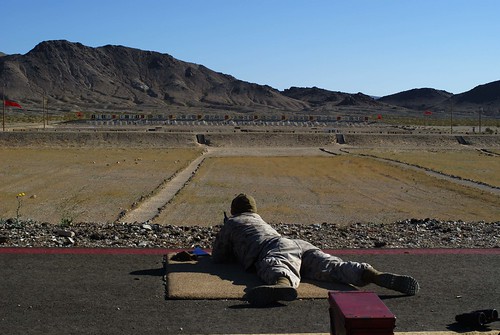

I was the Staff-Nonfire at the rifle range this last week. I managed to snap off a few shots. I did not shoot. I was accountable for my units shooters. One of the many responsibilities as a SSGT.
Wednesday, March 19, 2008
Mission San Juan Capistrano
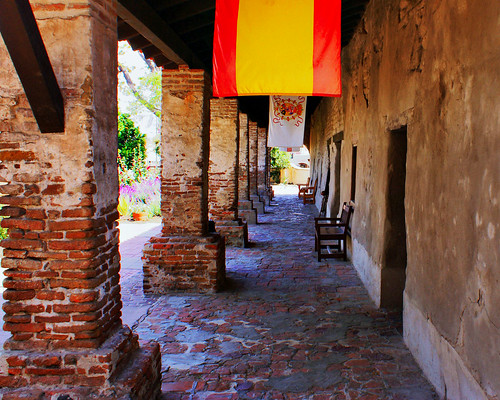
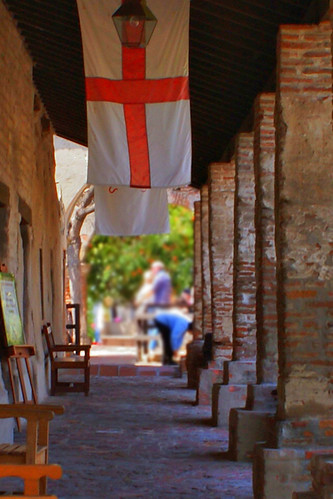
These are just some pictures from Mission San Juan Capistrano. This is the most beautiful mission in California. You will find some amazing flowers and water lillies there. If your ever in the SoCal area and want some beautiful pictures, come here;-)
Friday, March 14, 2008
The Photographic Style Test
You scored 100 Photographic Style
Basically, there were 300 points and I made this test to get increased percentage on my profile. Did you get 100%? Cool! :)
This test tracked 1 variable. How the score compared to the other people's:
This came from a test on OKCUPID!
Basically, there were 300 points and I made this test to get increased percentage on my profile. Did you get 100%? Cool! :)
This test tracked 1 variable. How the score compared to the other people's:
This came from a test on OKCUPID!
Thursday, March 6, 2008
Twentynine Palms Desert Trail
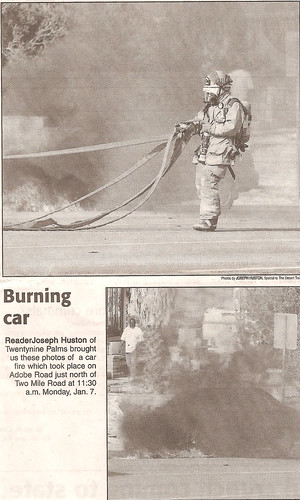
Here are the pictures my husband took! They got published in the Twentynine Palms newspaper! Reader Joseph Huston brought the photos he took of the burning car to the Desert Trail! You can read more on my flickr!
Tuesday, February 26, 2008
Photos with a deeper meaning!
Lately I have been working on making my photos more artistic instaed of the standard flower macro of HDR landscape! I want to create visual statements with my photos. I want to create pictures with a deapper meaning or even a message! I want to make my pictures more interesting. This is going to be a challenge for me but I love challenges! I am always open for tips and ideas so if anyone has any , please share!
Monday, February 25, 2008
Monterey Vaction - Bridge Beyond Beauty

This was another picture taken on our way back from our Monterey Vacation! This was one of my faves. I used the Dynamic-HDR tool for this effect.
It is important to be careful with HDR because you can get a cartoon effect if you go to far. In some of my first attemps you see that.
I enjoy waterscapes and this was one of a few I have taken!
Moments Captured In Time - My Flickr Name
Tuesday, February 19, 2008
New Sony Alpha's
I found out yesterday that there is a Sony Alpha DSLR-A200. Sony Alpha DSLR-A300 is comming out soon enough! I can't wait to see what the Sony Alpha DSLR-A700 can do! I have the Sony Alpha DSLR-A100 and I am crazy about it! I will upgrade in a year but honestly as much as I love my 100 I don't really feel like I am missing out on anything!
Here is the review for my Camera!
http://www.dpreview.com/reviews/specs/Sony/sony_dslra100.asp
Here is the review for my Camera!
http://www.dpreview.com/reviews/specs/Sony/sony_dslra100.asp
Pictures of My Daughter
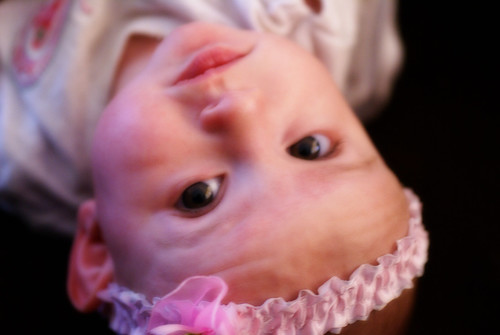



I think it shows when you take pictures of people you love. This is my daughter Catherine. She is my heart;-)
Monday, February 18, 2008
The Amazing Joshua Tree

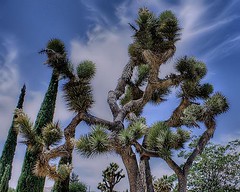


These photos are about Joshua Trees! It is said they are the gates of heaven and hell! I wonder where we are located!


Tuesday, February 12, 2008



Tuesday, February 5, 2008
Update on the camera
I have a new Sony Alpha DSLR-100 in the mail. Yeah! I am excited once again. Just like a kid in a candy store. I think I will have a personal photo fest when I get it. I will be posting photos everywhere.
Monday, February 4, 2008
Free Photoshop and Photo Editing Request
I have lots of Photoshop software. If you are intrested in my the Software that I use email me and I will send it to you for free. It's nice to help out fellow photographers. Anyway I will display a list of what I have later.
I will also take photoshop request that you have as long as I can display what I do on my portfolio for show.
For free sofware of photoshop request contact me at deviant.ones@gmail.com.
I will also take photoshop request that you have as long as I can display what I do on my portfolio for show.
For free sofware of photoshop request contact me at deviant.ones@gmail.com.
Sunday, February 3, 2008
Losing weight with photoshop!
This is cool! You can do anything with photoshop. Don't we all wish it was taht easy!
Wednesday, January 30, 2008
My Choice
The Sony Alpha DSLR-A700 won't come in for another 6 weeks. I don't want to wait so I am going to buy another 100. I will buy my 700 here in a year or so. I have decided to buy accessories for my camera. I am excited about it. Lights and backdrops here I come;-)
Friday, January 25, 2008
NIP/TUCK

Nip/Tuck was the inspiration for this picture and the Gauz came from the poster as well but the model is me. I used the Dynamic-HDR tool on this image after I manipulated it. I love how it came out. I also used the Neat Image tool on me before I added myself to the gauz. It really smoothed me out! Some good places for stock images are Deviant Art or Image Shack!
Wednesday, January 23, 2008
One of the Most Beautiful Places in CA!

It is so pretty! This is a great place to take pictures if you are looking for places to get some great shots. Go in the fall or summer. I created this out of one of my photos there. I had to clone out the people. Thanks to http://www.picnik.com/ for the frame.
HDR METHOD
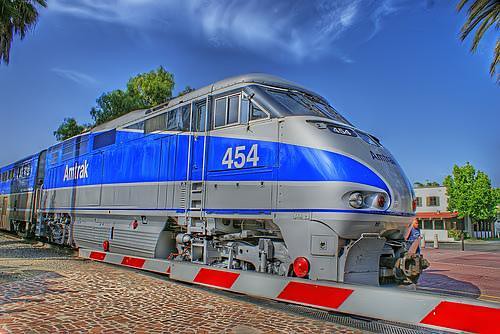 I took this picture in San Juan Capistrano. I took it right outside the mission! Then I used the HDR Method to make it look like this;-)
I used Photomatix! At the time I had Adobe CS2!
What is HDRI?
HDRI means High Dynamic Range Imaging. HDRI is today often used in 3D light rendering and also video post-production. Since Photoshop CS2 supports 32 bit HDR image formats also photographers start to experiment with HDRI. We do not plan to give an in depth explanation of HDRI but rather talk about the basics and show how HDRI can be used for artistic images today.
So what is HDR (High Dynamic Range)?
The dynamic range defines the contrast ratio the eyes can see, the cameras can capture or a print on paper can show. Best we state some numbers (mainly taken from here):
100,000:1 A scene showing the interior of a room with a sunlit view outside the window
1000:1 can be captured by some digital cameras (may even be optimistic if we recognize that the dynamic range is limited by noise)
256:1 Print on glossy paper with a dmax of about 2.4
50:1 Print on matte paper with a dmax of 1.6
Let's think of high dynamic range starting beyond 1000:1 (means beyond what any printer and even most digital cameras can produce).
What is the relation between bit depth and HDR?
If you have an image with high bit depth this does not mean that you automatically have also a
HDR image. Otherwise you would take low DR images and just convert them to a higher bit depth. But on the other side the bit depth limits how much DR you can represent in the data:
8 bit: 256:1 (clearly not a format usable for HDR)
16 bit: 65,000:1 or 32,000:1 (as we understand Photoshop is only using 15 bit internally)
32 bit: Here floating point numbers are used and for our practical purpose there in no real limit
How can we capture HDR images?
Right now most digital cameras capture only a maximum of 1,000:1 (as said this even maybe optimistic). While there are many developments to create sensors that can capture a higher dynamic range (e.g. Fuji in the S3) the main method today is to combine multiple exposures (2 - 10). As always this creates its own problems:
Moving objects (results in so called "ghosting")
Camera move (requires image alignment)
In case of stationary objects and a sturdy tripod quite good HDR images can be created.
Why creating HDR images when prints cannot reproduce the contrast?
Once you have created a HDR image you need to find a method to compress the high dynamic range in a way that it fits into the range of a print. This procedure is called Tone Mapping.
Tone Mapping
Tone Mapping is a way to reduce a high contrast image to a much lower contrast one. It always will be some sort of compromise. That is why there are many different algorithms for Tone Mapping and it is very much dependent on the concrete image how good some of these methods will work.
Photomatix by MultimediaPhoto is on the market for some time. We played with it also in the past but never got really excited for our own artistic work. This changed recently. We are not sure whether this is related to the new version 2.3 or a better understanding in how to use the software (likely both). The following will give an idea how we use Photomatix and is not a kind of manual.
Creating a HDR image in Photomatix
There are quite a few ways to create a HDR image in Photomatix. Normally you should have at least 3 exposures with about 2 f-stops difference (-2, 0, +2 should often work fine). Most of the time you convert the RAW files in your RAW converter of choice (make sure you have the same white balance for all shots) and later combine them in Photomatix. But there is also a way to start directly from the RAW files in Photomatix.
We use in our sample a three exposure sequence (Canon 1Ds, 4, 8, 20 seconds). The image(s) we use were photographed at Fort Point in San Francisco. The scene is really dark and it is quite a challenge not to overexpose the window. We may have gotten a decent result from one single image in the sequence but we would have a hard time to create the final look like in Photomatix.
We create the HDR file using the Automate->Batch feature:
In batch you can automatically process multiple sets of RAW files and create HDR images (even ready tone mapped TIFFs or JPEGs). In our case we only created one single HDR file. Once the HDR file is generated we open the resulting HDR file.
Looks ugly, right? What is gone wrong? Fortunately there is nothing wrong here. Without Tone Mapping a HDR image cannot show on screen properly because it can have a dynamic range way beyond the screen capabilities. Also an automatic Tone Mapping does not make sense because there is no single and even less automatic way to tone map an image.
Because we want to print the final image we need to process the HDR file in the Photomatix Tone Mapping dialog.
Note: We have reviewed before the Photomatix Photoshop Tone Mapping plugin. But we actually did not use the plugin for HDR files. This was not really tone mapping but should be called tone re-mapping. Nevertheless it is an effective way to improve images.
Photomatix provides today two different tone mapping methods:
Detail Enhancer
Tone Compressor
Both can be useful for certain types of images. For our image we want to get a certain gritty look and here the "Detail Enhancer" at 100% Strength is very useful.
Notes of caution using the "Detail Enhancer" method:
Some images may show halos at high contrast edges
The preview is not always 100% correct (but good enough for practical purposes)
Once the image is processed we save it as a TIFF file.
A flower a day makes it even better!
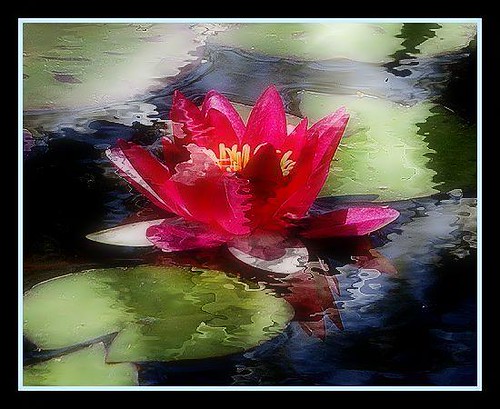 This picture is only to say have a nice day. Thanks to www.FlauntR.com for the reflection effect. I know there is also a Lillie's reflection in the photo too but I still like how it came out. It looks artistic to me;-)
Subscribe to:
Posts (Atom)


